A disconnected tech stack is a collection of business software tools, such as a CRM, accounting platform, and project manager, that do not share data automatically, forcing teams to move information between them by hand.
Most small businesses do not have a software problem. They have a connection problem.
They buy a CRM, a project management tool, an accounting platform, an email system, and maybe a few automation tools. Individually, each one looks fine. But once they start working together, the cracks show. Data gets duplicated, tasks get missed, reports stop matching up, and people end up copying information from one place to another by hand.
That is not a tech stack. That is a pile of tools.
A good tech stack should behave like one system. When one part changes, the rest should know about it. When a lead comes in, the CRM should capture it, the project tool should update, the client should get the right email, and the reporting should reflect it - without anyone stitching it together later. That is what business process automation and systems architecture actually does.
The Real Cost of Disconnected Tools
Disconnected systems do not always fail loudly. Usually, they fail quietly.
A team member enters the same customer details three times. A sales handover gets missed. An invoice goes out with the wrong data. Someone has to manually reconcile a report because the numbers in HubSpot do not line up with Xero or your project dashboard. None of that looks dramatic in isolation, but over time it eats hours, creates errors, and slows the business down.
There is also a management cost. When your systems do not talk to each other, your reporting becomes unreliable. That means decisions get made on partial information, not clear data. You start guessing which campaigns are working, which clients are profitable, and where your team is wasting time.
When your tools do not connect, you pay for the problem twice: once for the software subscriptions, and again for the manual data entry your team does to bridge the gaps.
What is a disconnected tech stack?
A disconnected tech stack is a set of business software tools, such as a CRM, accounting platform, and project manager, that do not share data automatically. Because information has to be moved between them by hand, the same customer details get entered multiple times, reports stop matching, and small errors compound over time.
Why Integration Matters
Integration is what turns separate apps into a proper operating system.
When your tools are connected properly, the business becomes easier to run. Leads flow into the right places, tasks are created automatically, invoices are triggered at the right time, and customer updates happen without someone babysitting the process. That saves time, reduces mistakes, and gives you cleaner data to work with.
It also makes scaling easier. A messy stack can work when you have five clients and one person handling everything. It falls apart when you grow. A connected stack gives you structure before the chaos starts. That is why so many small businesses are now focusing on stronger integration, cloud tools, and better automation as they grow.
Where Businesses Usually Get It Wrong
The most common mistake is buying tools before designing the workflow.
People see a good app, sign up for it, then hope it fits into the rest of the business later. That is backwards. You should start with the process, then choose the tools, then connect them properly. If you do it in the wrong order, you end up paying for features you do not use and building workarounds for the rest.
The second mistake is overcomplicating the stack. More tools do not automatically mean a better business. In fact, too many platforms usually means more admin, more subscriptions, and more friction. A simpler stack with strong integrations is usually better than a bloated one with disconnected apps.
What a Better Stack Looks Like
A better stack does not need to be flashy. It needs to be clean.
You want one source of truth for customer data, one place for team tasks, one finance system, and a clear way to move information between them. If a new customer is added, every connected system should know what to do next. If a job is marked complete, the billing or follow-up flow should already be waiting. That is what saves time and keeps things moving.
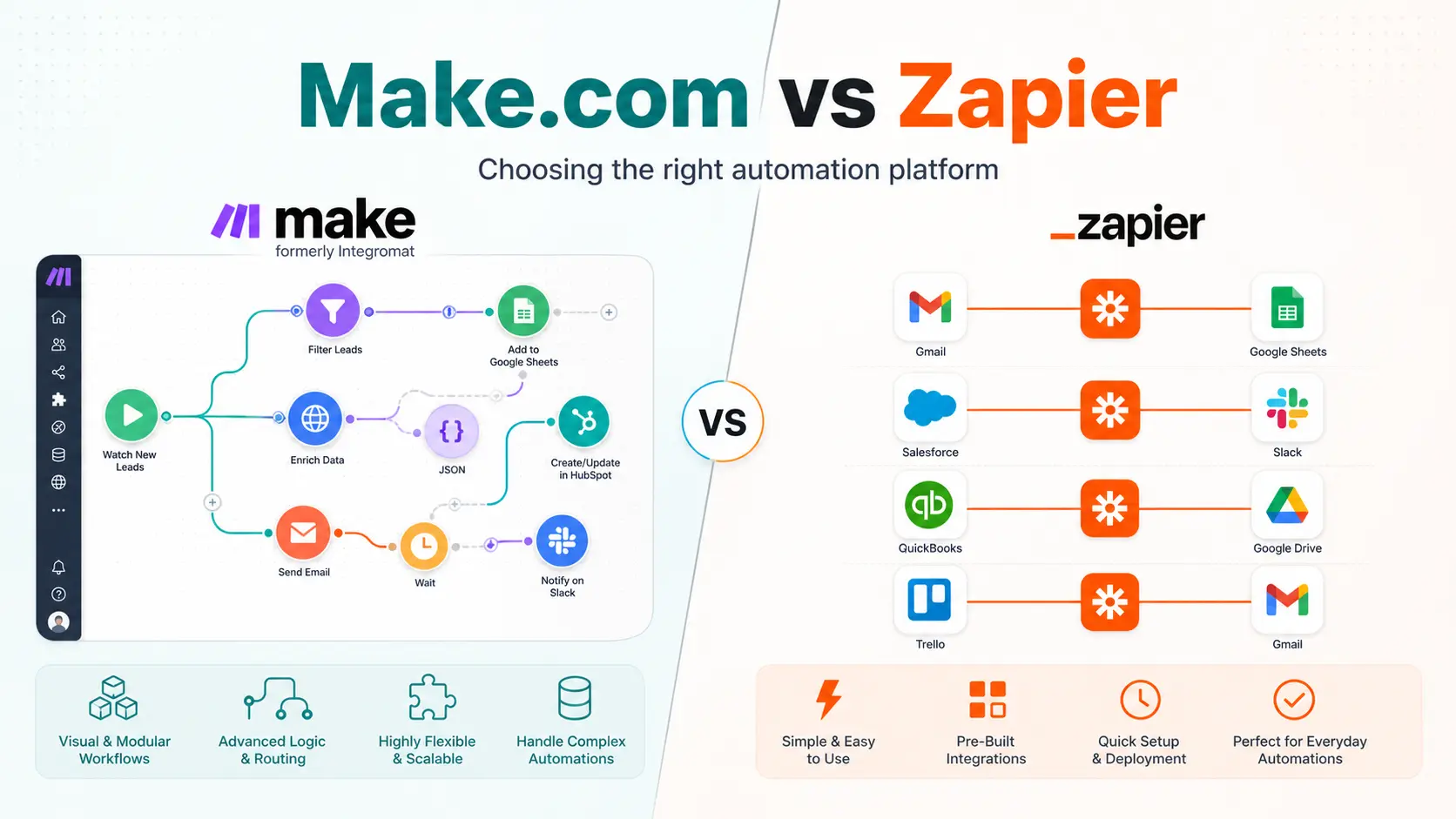
This is also where automation tools like Make.com OpenCode ClickUp become useful. They are not there to replace every app. They are there to connect the apps you already use and make them behave like one system. When used well, they remove the repetitive work that slows teams down and lets the business run more cleanly.
How do I connect my business tools?
Start by mapping the workflow you want, then choose tools that fit it, and finally use an integration platform such as Make.com or Zapier to move data between them automatically. The goal is one source of truth for customer data, one finance system, and a clear path for information to flow whenever a record changes, so no one has to copy details by hand.
Stop Paying for the Problem Twice
If your tools do not talk to each other, your business is working harder than it needs to. You are paying monthly subscriptions for software, and then paying your team to manually move data between them.
Whether you need a complete system overhaul or just need your current tools to finally sync properly, I build the architecture that makes it happen. Stop paying for software bloat and manual data entry.
Book a systems architecture review today. I will map your current stack, find the breakage, and give you a clear blueprint to connect your business and automate the busywork.